Propiedad CSS background-position-y
La propiedad background-position-y establece la posición vertical para cada fondo.
Se pueden especificar uno o más valores separados por comas.
INFO
Los valores negativos son válidos.
| Valor inicial | top |
|---|---|
| Se aplica a | Todos los elementos. |
| Heredable | No. |
| Animable | No. |
| Versión | CSS3 |
| Sintaxis DOM | object.style.backgroundPositionY = "bottom"; |
Sintaxis
Valores de CSS background-position-y
css
background-position-y: top | center | bottom | length | percentage | initial | inherit;Ejemplo de la propiedad background-position-y con el valor "top":
Ejemplo de código CSS background-position-y
html
<!DOCTYPE html>
<html>
  <head>
    <title>Title of the document</title>
    <style>
      html {
        min-height: 100vh;
      }
      body {
        padding-top: 30px;
        background: url("https://es.w3docs.com/build/images/w3docs-logo-black.png") no-repeat;
        background-position-y: top;
      }
    </style>
  </head>
  <body>
    <h2>Background-position-y property example</h2>
  </body>
</html>Resultado
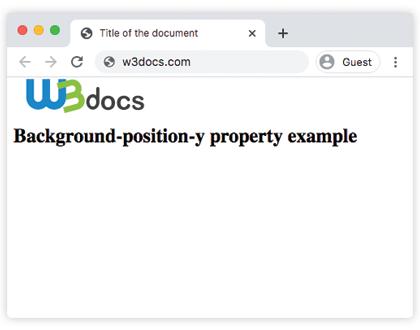
Ejemplo de la propiedad background-position-y con el valor "bottom":
Ejemplo de CSS background-position-y bottom
html
<!DOCTYPE html>
<html>
  <head>
    <title>Title of the document</title>
    <style>
      html {
        min-height: 100vh;
      }
      body {
        background: url("https://es.w3docs.com/build/images/w3docs-logo-black.png") no-repeat;
        background-position-y: bottom;
      }
    </style>
  </head>
  <body>
    <h2>Background-position-y property example</h2>
  </body>
</html>Ejemplo de la propiedad background-position-y con el valor "center":
Ejemplo de la propiedad background-position-y con el valor "center":
html
<!DOCTYPE html>
<html>
  <head>
    <title>Title of the document</title>
    <style>
      html {
        min-height: 100vh;
      }
      body {
        background: url("https://es.w3docs.com/build/images/w3docs-logo-black.png") no-repeat;
        background-position-y: center;
      }
    </style>
  </head>
  <body>
    <h2>Background-position-y property example</h2>
  </body>
</html>Ejemplo de la propiedad background-position-y con el valor "length":
Ejemplo de la propiedad background-position-y con el valor "length":
html
<!DOCTYPE html>
<html>
  <head>
    <title>Title of the document</title>
    <style>
      html {
        min-height: 100vh;
      }
      body {
        padding-top: 30px;
        background: url("https://es.w3docs.com/build/images/w3docs-logo-black.png") no-repeat;
        background-position-y: 90px;
      }
    </style>
  </head>
  <body>
    <h2>Background-position-y property example</h2>
  </body>
</html>Ejemplo de la propiedad background-position-y con el valor "percentage":
Ejemplo de la propiedad background-position-y con el valor "percentage":
html
<!DOCTYPE html>
<html>
  <head>
    <title>Title of the document</title>
    <style>
      html {
        min-height: 100vh;
      }
      body {
        padding-top: 30px;
        background: url("https://es.w3docs.com/build/images/w3docs-logo-black.png") no-repeat;
        background-position-y: 70%;
      }
    </style>
  </head>
  <body>
    <h2>Background-position-y property example</h2>
  </body>
</html>Valores
| Valor | Descripción |
|---|---|
| top | Especifica la alineación del borde superior de la imagen de fondo con el borde superior de la capa de posición del fondo. |
| center | Especifica la alineación del centro de la imagen de fondo con el centro de la capa de posición del fondo. |
| bottom | Especifica la alineación del borde inferior de la imagen de fondo con el borde inferior de la capa de posición del fondo. |
| length | Especifica el desplazamiento vertical de la imagen de fondo desde el borde superior de la capa de posicionamiento del fondo. |
| percentage | Especifica el desplazamiento vertical de la imagen de fondo en relación con el contenedor. 0% alinea el borde superior de la imagen de fondo con el borde superior del contenedor, 100% alinea el borde inferior con el borde inferior del contenedor y 50% centra verticalmente la imagen de fondo. |
| initial | Establece la propiedad en su valor predeterminado. |
| inherit | Hereda la propiedad de su elemento padre. |
Práctica
¿Cuál es la función de la propiedad 'background-position-y' en CSS?