Propiedad text-stroke-color de CSS
La propiedad text-stroke-color especifica el color del trazo del carácter. El valor inicial de la propiedad text-stroke-color es currentColor.
Puedes elegir colores desde aquí Colores HTML.
INFO
La propiedad text-stroke-color es una propiedad CSS estándar, pero actualmente requiere el prefijo -webkit- para un amplio soporte en navegadores. Firefox aún no lo soporta.
| Valor inicial | currentColor |
|---|---|
| Se aplica a | Todos los elementos. |
| Heredable | Sí. |
| Animable | Sí. El color es animable. |
| Versión | CSS Text Module Level 4 |
| Sintaxis DOM | object.style.textStrokeColor = "#8ebf42"; |
Sintaxis
Valores de text-stroke-color en CSS
css
text-stroke-color: color | initial | inherit;Ejemplo de la propiedad text-stroke-color:
Ejemplo de código CSS text-stroke-color
html
<!DOCTYPE html>
<html>
  <head>
    <title>Title of the document</title>
    <style>
      body {
        display: flex;
        flex-direction: column;
        align-items: center;
        gap: 1em;
        margin-top: 2em;
      }
      p {
        margin: 0;
        font-size: 3em;
        -webkit-text-stroke-width: 2px;
        text-stroke-width: 2px;
        -webkit-text-stroke-color: #8ebf42;
        text-stroke-color: #8ebf42;
      }
    </style>
  </head>
  <body>
    <h2>Text-stroke-color property example</h2>
    <p>Lorem Ipsum is simply dummy text...</p>
    <input type="color" value="#8ebf42" />
    <script>
      const input = document.querySelector('input[type="color"]');
      const p = document.querySelector('p');
      input.addEventListener('input', (e) => {
        p.style.webkitTextStrokeColor = e.target.value;
        p.style.textStrokeColor = e.target.value;
      });
    </script>
  </body>
</html>Resultado
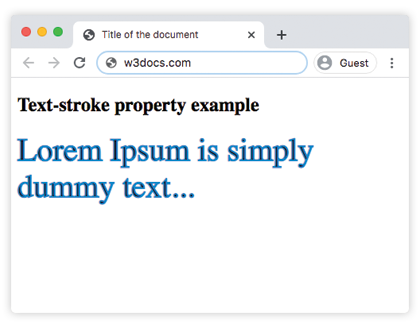
Valores
| Valor | Descripción |
|---|---|
| color | Especifica el color del trazo. Se pueden usar nombres de colores, códigos hexadecimales, rgb(), rgba(), hsl(), hsla(). |
| initial | Hace que la propiedad use su valor predeterminado. |
| inherit | Hereda la propiedad de su elemento padre. |
Práctica
El valor predeterminado de text-stroke-color es el valor predeterminado de la