Propiedad line-height de CSS
La propiedad line-height especifica la altura de una caja de línea, controlando el espaciado vertical entre las líneas de texto. Se comporta de manera diferente según el tipo de elemento:
- En elementos de nivel de bloque, la propiedad line-height especifica la altura mínima de las cajas de línea dentro del elemento.
- En elementos en línea no reemplazados, la propiedad line-height especifica la altura que se utiliza en el cálculo de la altura de la caja de línea.
- En elementos en línea reemplazados como botones u otros elementos input, la propiedad line-height normalmente no afecta el cálculo de la altura de la caja de línea.
INFO
Los valores negativos son válidos.
INFO
El line-height predeterminado es de aproximadamente 110% a 120% en la mayoría de los navegadores.
La propiedad line-height establece el interlineado de las líneas de un texto. Si el valor de line-height es mayor que el valor de font-size de un elemento, la diferencia será el interlineado del texto.
| Valor inicial | normal |
|---|---|
| Se aplica a | Todos los elementos. |
| Heredable | Sí. |
| Animable | Sí. La altura de las líneas es animable. |
| Versión | CSS1 |
| Sintaxis DOM | object.style.lineHeight = "40px"; |
Sintaxis
Sintaxis de la propiedad CSS line-height
line-height: normal | number | length | percentage | calc | initial | inherit;Ejemplo con el valor normal:
Ejemplo de la propiedad CSS line-height con el valor normal
<!DOCTYPE html>
<html>
  <head>
    <title>Title of the document</title>
    <style>
      div {
        line-height: normal;
      }
    </style>
  </head>
  <body>
    <h2>Line-height property example</h2>
    <h3>line-height: normal (default)</h3>
    <div>This is a paragraph with a standard line-height.
      <br /> The standard line height in most browsers is about 110% to 120%.
    </div>
  </body>
</html>Resultado
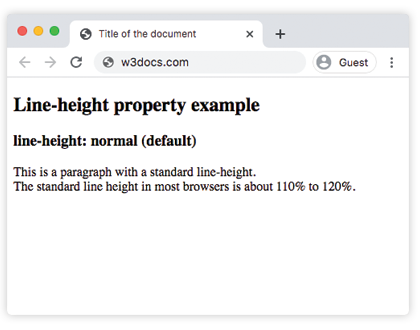
Ejemplo con el valor length:
Ejemplo de la propiedad CSS line-height con el valor px
<!DOCTYPE html>
<html>
  <head>
    <title>Title of the document</title>
    <style>
      div {
        line-height: 10px;
      }
    </style>
  </head>
  <body>
    <h2>Line-height property example</h2>
    <h3>line-height: 10px</h3>
    <div>This is a paragraph with a specified line-height.
      <br /> The line height here is set to 10 pixels.
    </div>
  </body>
</html>Ejemplo con el valor percentage:
Ejemplo de la propiedad CSS line-height con el valor %(porcentaje)
<!DOCTYPE html>
<html>
  <head>
    <title>Title of the document</title>
    <style>
      div {
        line-height: 200%;
      }
    </style>
  </head>
  <body>
    <h2>Line-height property example</h2>
    <h2>line-height: 200%</h2>
    <div>This is a paragraph with a bigger line-height.
      <br /> The line height here is set to 200%.
    </div>
  </body>
</html>Ejemplo con múltiples valores:
Ejemplo de la propiedad CSS line-height con valores cm, px, %(porcentaje), normal y number
<!DOCTYPE html>
<html>
  <head>
    <title>Title of the document</title>
    <style>
      div.a {
        line-height: 1;
      }
      div.b {
        line-height: 50px;
      }
      div.c {
        line-height: 0.5cm;
      }
      div.d {
        line-height: 1cm;
      }
      div.e {
        line-height: 200%;
      }
      div.f {
        line-height: normal;
      }
    </style>
  </head>
  <body>
    <h2>Line-height property example</h2>
    <h3>line-height: 1</h3>
    <div class="a">This is a paragraph with a specified line-height.
      <br /> The line height here is set to 1.
    </div>
    <h3>line-height: 50px</h3>
    <div class="b">This is a paragraph with a specified line-height.
      <br /> The line height here is set to 50 pixels.
    </div>
    <h3>line-height: 0.5cm</h3>
    <div class="c">This is a paragraph with a specified line-height.
      <br /> The line height here is set to 0.5 centimeter.
    </div>
    <h3>line-height: 1cm</h3>
    <div class="d">This is a paragraph with a specified line-height.
      <br /> The line height here is set to 1 centimeter.
    </div>
    <h3>line-height: 200%</h3>
    <div class="e">This is a paragraph with a bigger line-height.
      <br /> The line height here is set to 200%.
    </div>
    <h3>line-height: normal</h3>
    <div class="f">This is a paragraph with a standard line-height.
      <br /> The standard line height in most browsers is about 110% to 120%.
    </div>
  </body>
</html>Propiedad line-height para diferentes propósitos
La propiedad line-height se puede utilizar para crear estilos visuales interesantes controlando el espaciado vertical. Por ejemplo, puedes combinarla con un linear-gradient() para dar a cada línea de texto un color diferente, o usar repeating-linear-gradient() para dibujar líneas entre el texto. Ten en cuenta que line-height solo controla el espaciado, mientras que el gradiente se encarga de los colores.
Valores
| Valor | Descripción | Pruébalo |
|---|---|---|
| normal | Define una altura de línea normal. Es el valor predeterminado de esta propiedad. | Pruébalo » |
| length | Define una altura de línea fija en px, cm, em, etc. | Pruébalo » |
| number | Define un número que se multiplica por el tamaño de fuente actual para establecer la altura de línea. | Pruébalo » |
| % | Define una altura de línea en porcentaje del tamaño de fuente actual. | Pruébalo » |
| calc | Define una altura de línea utilizando un cálculo. | Pruébalo » |
| initial | Hace que la propiedad utilice su valor predeterminado. | Pruébalo » |
| inherit | Hereda la propiedad de su elemento padre. |
Nota: Se recomienda ampliamente el uso de la unidad em para alturas de línea escalables.
Práctica
¿Qué hace la propiedad 'line-height' en CSS?