Propiedad text-fill-color de CSS
La propiedad -webkit-text-fill-color especifica el color de relleno de los caracteres del texto.
Si no se especifica esta propiedad, se utiliza el valor de la color propiedad.
Cuando se usa con background-clip: text, -webkit-text-fill-color anula la propiedad color para el relleno del texto.
INFO
La propiedad -webkit-text-fill-color se utiliza principalmente junto con -webkit-background-clip: text para crear efectos de texto con degradado. Nota: Safari admite background-clip: text pero no admite la propiedad estándar text-fill-color. Usa -webkit-text-fill-color para la compatibilidad entre navegadores.
DANGER
La propiedad text-fill-color no está completamente estandarizada en todos los navegadores. No confíes en ella para sitios en producción sin alternativas, ya que no funcionará para todos los usuarios. Los detalles de implementación pueden variar y el comportamiento podría cambiar en el futuro.
| Valor inicial | currentColor |
|---|---|
| Se aplica a | Todos los elementos. |
| Heredable | Sí. |
| Animable | Sí. El color es animable. |
| Versión | Estándar de compatibilidad |
| Sintaxis DOM | object.style.textFillColor = "#1c87c9"; |
Sintaxis
Valores de CSS -webkit-text-fill-color
-webkit-text-fill-color: color | initial | inherit;Ejemplo de la propiedad text-fill-color:
Otro ejemplo de código de text-fill-color
<!DOCTYPE html>
<html>
  <head>
    <title>Title of the document</title>
    <style>
      p {
        margin: 0;
        font-size: 1.5em;
        -webkit-text-fill-color: #1c87c9;
      }
    </style>
  </head>
  <body>
    <h2>Text-fill-color property example</h2>
    <p>Lorem Ipsum is simply dummy text...</p>
  </body>
</html>Resultado
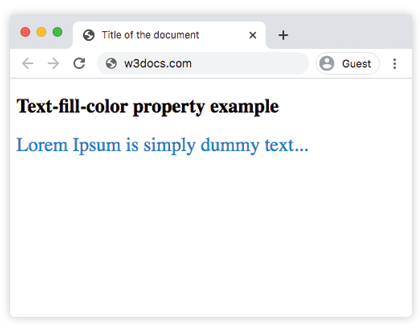
Ejemplo de la propiedad text-fill-color con el valor "transparent":
Ejemplo de la propiedad CSS text-fill-color
<!DOCTYPE html>
<html>
  <head>
    <title>Title of the document</title>
    <style>
      article {
        padding: 10px;
        margin: 15px auto;
        font-size: 18px;
      }
      p {
        color: #444;
        line-height: 1.6;
        margin: 20px 0;
        background: #E7E7E2;
      }
      q {
        display: block;
        margin: 25px 0;
        text-transform: uppercase;
        text-align: center;
        font-family: sans-serif;
        font-size: 30px;
        color: #8e2b88;
        -webkit-text-fill-color: transparent;
        background: linear-gradient(to bottom, #ff0052, #8e2b88);
        -webkit-background-clip: text;
        background-clip: text;
      }
      q:before {
        content: '';
      }
    </style>
  </head>
  <body>
    <article>
      <p>
        Contrary to popular belief, Lorem Ipsum is not simply random text. It has roots in a piece of classical Latin literature from 45 BC, making it over 2000 years old.
      </p>
      <q>
        The text-fill-color property is used with -webkit- extension.
      </q>
      <p>
        There are many variations of passages of Lorem Ipsum available, but the majority have suffered alteration in some form, by injected humour, or randomised words which don't look even slightly believable. If you are going to use a passage of Lorem Ipsum, you need to be sure there isn't anything embarrassing hidden in the middle of text.
      </p>
    </article>
  </body>
</html>Ejemplo de uso de la propiedad text-fill-color para establecer un degradado horizontal:
Ejemplo de la propiedad text-fill-color con valor transparente
<!DOCTYPE html>
<html>
  <head>
    <title>Title of the document</title>
    <style>
      h1 {
        display: inline-block;
        font-family: sans-serif;
        font-weight: bold;
        font-size: 40pt;
        background: linear-gradient(to right, rgb(25, 76, 192), rgb(196, 26, 3) 20%, rgb(236, 190, 6) 40%, rgb(25, 76, 192) 60%, rgb(3, 116, 8) 80%, rgb(196, 26, 3));
        -webkit-background-clip: text;
        background-clip: text;
        -webkit-text-fill-color: transparent;
      }
    </style>
  </head>
  <body>
    <h1>Cascading Style Sheets (CSS)</h1>
  </body>
</html>Valores
| Valor | Descripción |
|---|---|
| color | Especifica el color de relleno en primer plano del contenido de texto del elemento. Se pueden usar nombres de colores, códigos hexadecimales, rgb(), rgba(), hsl(), hsla(). |
| initial | Hace que la propiedad use su valor predeterminado. |
| inherit | Hereda la propiedad de su elemento padre. |
Práctica
¿Qué puedes decir sobre la propiedad CSS 'text-fill-color' según la información proporcionada en la página?