Propiedad clear de CSS
La propiedad clear está directamente relacionada con los floats. La propiedad clear se utiliza para especificar si un elemento debe estar junto a elementos flotantes o debajo de ellos (clear).
Podemos aplicar la propiedad clear tanto a elementos flotantes como no flotantes. Esta propiedad acepta valores como none, left, right, both, initial e inherit. none es el valor predeterminado. Permite elementos flotantes en ambos lados. El valor left no permite ningún elemento flotante en el lado izquierdo. El valor right no permite ningún elemento flotante en el lado derecho. El valor both no permite elementos flotantes ni en el lado izquierdo ni en el derecho.
Nota: La propiedad clear solo afecta a los elementos en el flujo de bloques normal y no funciona con diseños Flexbox o Grid.
| Valor inicial | none |
|---|---|
| Se aplica a | Elementos de nivel de bloque. |
| Heredado | No. |
| Animable | No. |
| Versión | CSS1 |
| Sintaxis DOM | element.style.clear = "both"; |
Sintaxis
Sintaxis de la propiedad clear de CSS
clear: none | left | right | both | initial | inherit;Ejemplo de la propiedad clear:
Ejemplo de la propiedad clear de CSS con el valor left
<!DOCTYPE html>
<html>
  <head>
    <title>Title of the document</title>
    <style>
      img {
        float: left;
        background: #ccc
      }
      .clear {
        clear: left;
      }
    </style>
  </head>
  <body>
    <img src="https://es.w3docs.com/uploads/media/default/0001/01/003e5c463668d174ab70bea245c192d81901a4a6.png" />
    <p class="clear">Lorem Ipsum is simply dummy text of the printing and typesetting industry. Lorem Ipsum has been the industry's standard dummy text ever since the 1500s when an unknown printer took a galley of type and scrambled it to make a type specimen book. It has survived not only five centuries, but also the leap into electronic typesetting, remaining essentially unchanged.</p>
  </body>
</html>Resultado
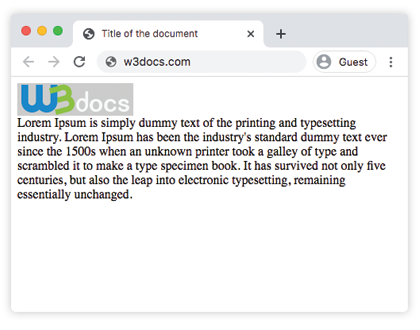
Ejemplo de la propiedad clear con el valor "right":
Ejemplo de la propiedad clear de CSS con el valor right
<!DOCTYPE html>
<html>
  <head>
    <title>Title of the document</title>
    <style>
      img {
        float: right;
        background: #ccc
      }
      .clear {
        clear: right;
      }
    </style>
  </head>
  <body>
    <img src="https://es.w3docs.com/uploads/media/default/0001/01/003e5c463668d174ab70bea245c192d81901a4a6.png" />
    <p class="clear">
      Lorem Ipsum is simply dummy text of the printing and typesetting industry. Lorem Ipsum has been the industry's standard dummy text ever since the 1500s when an unknown printer took a galley of type and scrambled it to make a type specimen book. It has survived not only five centuries, but also the leap into electronic typesetting, remaining essentially unchanged.
    </p>
  </body>
</html>Ejemplo de la propiedad clear con el valor "both":
Ejemplo de la propiedad clear de CSS con el valor both
<!DOCTYPE html>
<html>
  <head>
    <title>Title of the document</title>
    <style>
      img {
        float: right;
        background: #CCC;
      }
      p.clear {
        clear: both;
      }
    </style>
  </head>
  <body>
    <img src="https://es.w3docs.com/uploads/media/default/0001/01/003e5c463668d174ab70bea245c192d81901a4a6.png" width="220" height="80" />
    <p>
      Lorem Ipsum is simply dummy text of the printing and typesetting industry.
    </p>
    <p class="clear">
      Lorem Ipsum has been the industry's standard dummy text ever since the 1500s, when an unknown printer took a galley of type and scrambled it to make a type specimen book. It has survived not only five centuries, but also the leap into electronic typesetting, remaining essentially unchanged.
    </p>
  </body>
</html>Valores
| Valor | Descripción |
|---|---|
| none | Permite elementos flotantes en ambos lados. Es el valor predeterminado de esta propiedad. |
| left | Indica que no se permiten elementos flotantes en el lado izquierdo. |
| right | Indica que no se permiten elementos flotantes en el lado derecho. |
| both | Indica que no se permiten elementos flotantes en ninguno de los lados. |
| initial | Hace que la propiedad utilice su valor predeterminado. |
| inherit | Hereda la propiedad de su elemento padre. |
Práctica
¿Qué hace la propiedad 'clear' en CSS?